
Dispensary video surveillance is the camera system that records your sales floor, registers, vault, and entrances. In 2026, it's most useful when every recording is matched to the transaction it shows, so a manager can pull up the clip for any sale without scrubbing hours of footage.
Most dispensaries already have cameras because their state requires them. Far fewer can answer a simple question fast: what happened at register 2 when that $40 discount went through at 9:47 PM? If you run operations, you're usually the one who has to find out.
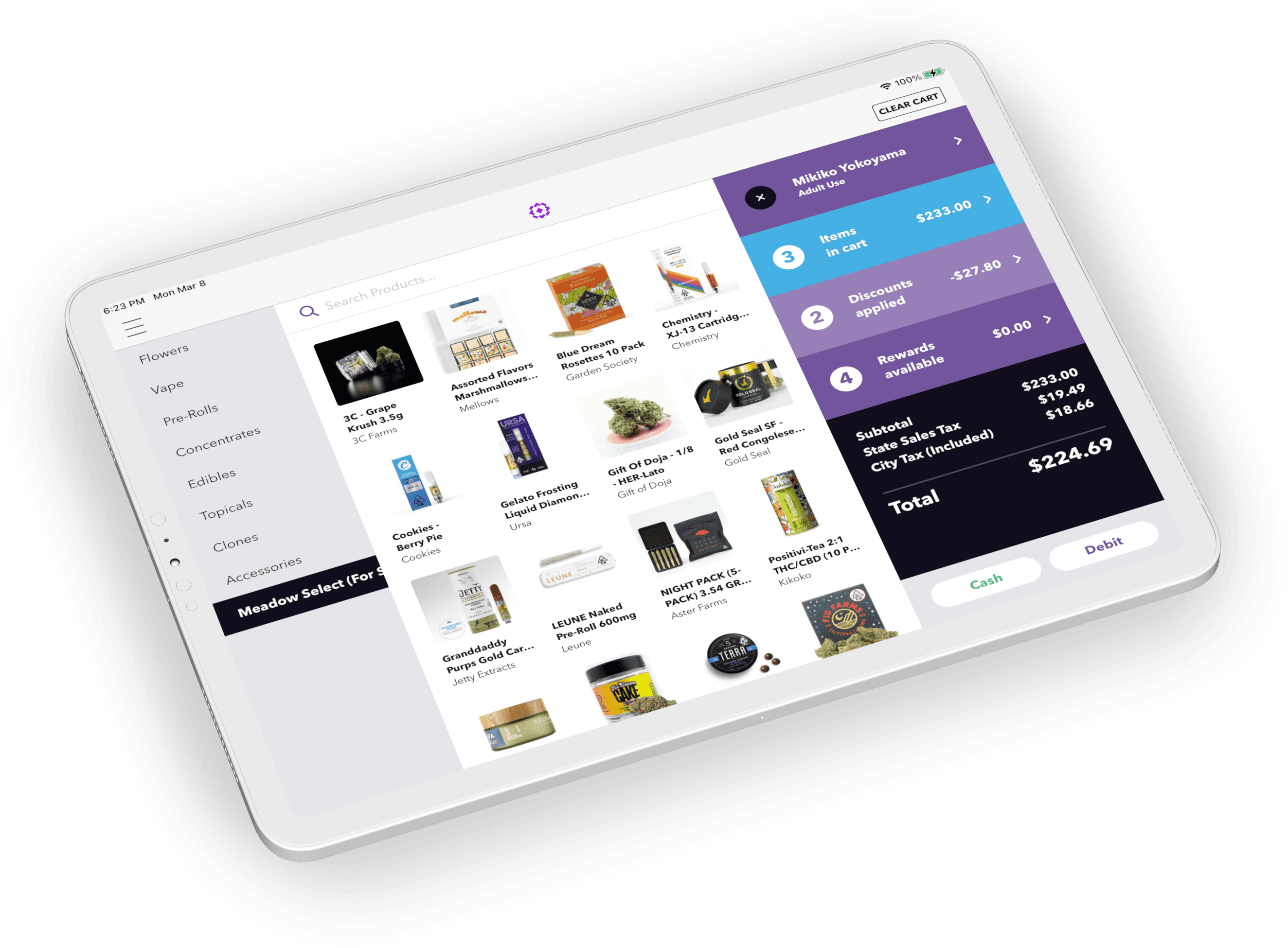
Meadow POS and Solink answer it by sending each Meadow transaction to Solink, which lines it up with the matching moment in video. Pair that with Meadow's Audit Log and you have what an owner or a regulator asks for: a record of who did what, and the video that shows it.
This guide covers what a dispensary audit trail should include, which transactions deserve a video alert, how to compare stores, how video supports compliance, and how to set up Solink with Meadow POS.
In This Post
- What Should a Dispensary Audit Trail Include?
- Which Transactions Should Trigger a Video Alert?
- How Do You Manage Security Across Multiple Dispensary Locations?
- How Does Dispensary Video Surveillance Help with Cannabis Compliance?
- What Reports Should a Dispensary Watch for Loss Prevention?
- How Does the Meadow and Solink Integration Work?
- Common Questions
Key Takeaways
- A complete dispensary audit trail has three records: the POS audit log (who changed what, and when), Metrc (the state's record of packages and sales), and video linked to each sale (what happened at the register).
- Shared logins break an audit trail. Give every employee their own POS login so each change is recorded under the person who made it.
- Start with five video alerts: voids and returns, manual discounts above a dollar threshold, no-sale drawer opens, after-hours activity, and high-dollar sales.
- Keep surveillance footage longer than the gap between inventory counts on high-risk products, or a variance can surface after the video that explains it is gone.

What Should a Dispensary Audit Trail Include?
A dispensary audit trail should show who did what, when, and from where, for every sale and every change to prices, discounts, inventory, and cash. Meadow POS records those changes in its Audit Log, Metrc holds the state's record of your packages and sales, and video linked to each sale shows what happened at the register. Each layer covers a gap the others leave.
| Layer | What it records | What it doesn't show |
|---|---|---|
| Meadow POS Audit Log | Price changes (before and after), discount edits, inventory adjustments, shift and cash drawer changes, and admin permission changes, each with the admin, a timestamp to the second, and an IP address | Whether the person logged in is the person standing at the register |
| Meadow team permissions | Who is allowed to make each of those changes in the first place | What happened on the floor |
| Video linked to each sale (Solink) | What happened at the register, vault, or stockroom during a specific transaction | Back-office changes made away from a camera |
| Metrc | The state's record of your packages, transfers, and sales (Metrc is the track-and-trace system in all six states Meadow serves) | Why a variance happened |
The mistake that breaks most audit trails is shared logins. If three budtenders ring sales under one manager's login, the Audit Log names the wrong person every time. Video will help you catch it, but the fix is upstream: give every employee their own Meadow login and the narrowest team permissions their role needs.
💡 How Meadow handles this: Meadow's Audit Log, team permissions, and cycle counts are built into the system at no extra cost. See how they work together in Dispensary Loss Prevention 101 →
The same rule applies to who can see the trail. Keep access to video and the Audit Log to as few people as the job needs, usually owners, general managers, and whoever runs loss prevention, and review the list whenever someone changes roles or leaves. In Meadow, only admins with full permissions can open the Audit Log, so that review starts with your permissions list.

Data security belongs in the same conversation. Your sales, inventory, and customer data belong to you, and you decide which partners receive it. A partner like Solink connects through an API key you create in Meadow Admin and give to that partner. Treat that key like a password, and delete keys for any integration you've stopped using. Every key you create, update, or delete is recorded in the Audit Log.
What to do this week: Open your POS audit log (in Meadow, Settings > Audit Log) and read last Friday night's entries. Ask two questions. Does every entry belong to a real, individual person? Does anyone have access they never use? Fix both before you set a single alert.
Which Transactions Should Trigger a Video Alert?
Start with five video alerts: voids and returns, manual discounts above a dollar threshold, no-sale drawer opens, after-hours activity, and high-dollar sales. Keep the list short. Five alerts a manager actually reviews beat fifty nobody opens.
- Voids and returns: the most common way cash walks out.
- Manual discounts above a threshold: pick a dollar amount that fits your shop.
- No-sale drawer opens: a drawer that opens without a sale deserves a look.
- After-hours activity: anything rung up outside business hours.
- High-dollar transactions: big tickets are where a mistake costs the most.
These five matter more in cannabis because a lot of dispensary revenue still moves as cash. Banking access for cannabis businesses is limited, and our cannabis banking guide with Green Check Verified covers that side of the problem. Cash is where small losses hide: a void that wasn't a void, a discount nobody approved, a drawer that's short by $20 every Friday. Video tied to the transaction turns "we think something's off" into a quick review.

Alerts work best when the rules behind them are clear. Meadow's team permissions control who can edit or cancel orders, change prices and inventory quantities, and open individual reports, so the exceptions an alert catches are real exceptions.
What to do this week: Pull last month's voids and manual discounts by employee from your POS. The top three names prove nothing on their own, but they show you where to set your first alerts.
💡 The Meadow x Solink advantage: Solink watches your Meadow transactions for these events and alerts you when one happens, with each alert tied to the video of that sale.
Alerts don't replace the daily close. Most problems show up in the drawer count before anyone needs the video, so keep running your end-of-day closing checklist and treat alerts as a second net.
How Do You Manage Security Across Multiple Dispensary Locations?
Manage security across multiple dispensary locations with one set of alert rules for every store and one fair comparison: voids and manual discounts per 100 transactions. Your busiest store will always have the most voids, so raw counts point at the wrong place. Dividing by transactions puts a 1,200-ticket Saturday and a 300-ticket Tuesday on the same scale. Then find the outlier and pull its clips first.
💡 The Meadow x Solink advantage: Solink is cloud-based, so an operations lead can review video and Meadow transactions for every location from one login, on any device.
Give regional managers what they need and nothing more. Meadow's team permissions let you grant access to individual reports without opening up price or inventory edits.
What to do this week: Pick one number, voids per 100 transactions, and pull it for every store for the last 30 days. If one store runs at double the others, that's where your first alert goes.
How Does Dispensary Video Surveillance Help with Cannabis Compliance?
Dispensary video surveillance helps with cannabis compliance when each recording is linked to a POS transaction, because it turns a variance into an explanation. When a count, a cash drawer, or a Metrc record doesn't match, Meadow POS tells you which transaction and which employee, and the linked video shows what happened. That's the record you want ready when a regulator, an auditor, or your insurer asks.

Here's the catch most shops learn the hard way: footage doesn't last forever. Your system keeps video for a set number of days, and your state sets the minimum. Counts run on their own clock. California, for example, requires licensees to reconcile physical inventory against track-and-trace records at least once every 30 calendar days. Compare two numbers: how long you keep footage, and how long you go between counts on your highest-risk products. If those are close, a variance can surface after the video that explains it is gone.
Two habits close the gap. Count high-risk categories more often than the monthly minimum, and export the clip the day you open an investigation.
Reconciling and doing cycle counts with Meadow is really easy; it's quick to spot discrepancies and categorize your inventory.
Raheem Santos, Inventory Manager, Coast to Coast
💡 How Meadow handles this: Weekly counts only stick if they don't mean closing early. Meadow's cycle counts run while the store stays open, and a Conflicts tab adjusts for any sale rung up mid-count. See how Meadow's cycle counts work →
Then keep a simple incident file for every case: the Meadow transaction, the Audit Log entry, the video clip, and what you decided. When an inspector asks, the whole story is already in one folder.
Camera placement and video retention rules come from your state regulator: the Department of Cannabis Control in California, the Office of Cannabis Management in New York, the Cannabis Regulatory Commission in New Jersey, the Cannabis Regulatory Agency in Michigan, the Cannabis Control Commission in Massachusetts, and the Office of Cannabis Management in Minnesota. Build your alert plan on top of a camera plan that meets those rules. For the SOPs, training, and vendor choices around it, see How to Build a Dispensary Security Plan.
What Reports Should a Dispensary Watch for Loss Prevention?
A dispensary should watch three loss prevention numbers: shrink, voids and manual discounts by employee, and time to resolve an incident. Pull a baseline from your POS before you connect video, then review all three monthly with store managers.
- Shrink: inventory and cash variance at close and at cycle count.
- Voids and manual discounts: count and dollars, by employee.
- Time to resolve an incident: from "something's off" to a clear answer.
💡 How Meadow handles this: Meadow's reports show which budtenders sell the most and which give the most discounts, which covers the second number on this list. Learn how to track staff performance in Meadow →
The third number is the one most shops skip, and it's the one video changes most. If it took a manager a full afternoon to answer a drawer question last month, write that down. That's your before.
How Does the Meadow and Solink Integration Work?
The Meadow and Solink integration sends every Meadow POS transaction to Solink, which matches it to camera footage from the same moment. Managers search video by the sale, and alerts on risky transactions arrive tied to the clip.
Meadow's Audit Log and reports already tell you which sale to look at and who rang it. The step that stays manual without an integration is finding the video: note the time, work out which register, and scrub the footage until you reach the moment. Owners and managers tell us the same thing: they bought cameras for the regulator and never got much else out of them. Solink takes that step off the manager's plate, for every sale at every store.
Here's the path a single sale takes once the two are connected:
- Meadow sends each transaction to Solink: no manual syncing required.
- Solink lines it up with video: each sale is matched to footage from the register, vault, or other camera views at the same moment.
- You search by the sale: filter by transaction, product type, or employee ID, or search a keyword like "void," and jump to the clip.
- Alerts arrive with context: voids, discounts, drawer activity, and after-hours sales trigger alerts tied to the video.
| Task | Cameras alone | Meadow POS + Solink |
|---|---|---|
| Find the footage for one sale | Scrub video by timestamp and guess the register | Search by transaction, product type, or employee ID and jump to the clip |
| Catch a bad discount or void | Someone notices at close, or nobody does | An alert on that transaction, tied to the video |
| Answer "who did this?" | Work it out from the shift schedule | Meadow's Audit Log names the login; the video shows who was at the register |
| Answer an auditor | Pull logs and video separately, then line them up by hand | The transaction record and the clip, together |
| Watch several stores | Depends on how each store's recorder is set up | One cloud login for every location's video and transactions |
What Does Solink Do for Cannabis Retailers?
Solink is a cloud-based video security and analytics platform that runs on a dispensary's existing cameras and connects the video to business data like POS transactions. Cannabis retailers use it to find the clip for any sale, get alerts on risky transactions, and review every store from one login. Solink describes its platform as "AI-driven video intelligence for security, loss prevention, and operations."
As of October 2026, Solink runs at more than 30,000 customer locations, manages 500 million hours of video a month, and connects to more than 375 systems. It is SOC 2 Type II certified and offers 24/7/365 support with a dedicated customer success manager. Solink's dashboards show team performance and flag risky behavior, and Solink can keep a backup of evidence for as long as local rules require.
How Do You Set Up Solink with Meadow POS?
Setting up Solink with Meadow POS takes five steps, with support from both teams.
- Clean up logins first: make sure every employee has their own Meadow login and the right permissions. Video can't fix an audit trail that names the wrong person.
- Create an API key for Solink: in Meadow Admin, go to Settings > API, click Add Integration, select Solink from the Company menu, and check Orders Access. Meadow's Solink setup guide walks through each screen.
- Send the key to Solink: share it with your Solink representative, who links your transaction data to your video feeds. The new key is recorded in your Audit Log like any other change.
- Set your alerts: configure triggers for voids, discounts, drawer activity, and the other events above, each tied to video.
- Start reviewing: log into Solink to see synced video and POS activity, review incidents, and run reports.
Solink is a separate paid subscription. Ask your Solink representative about plans, and have them check your current cameras and recorder before you buy anything. Not on Solink yet? Ask Meadow's support chat for an introduction.
If your POS can't send transactions to your cameras, every investigation starts with a timestamp and a guess. Meadow connects to Solink with one API key, and the Audit Log names who did what. Book a Demo
Common Questions
What is dispensary video surveillance?
Dispensary video surveillance is the camera system that records a dispensary's sales floor, registers, vault, and entrances, usually to meet state security rules. It's most useful when footage is linked to POS transactions. With Meadow POS and Solink, a manager can find the clip for any sale by searching the transaction instead of scrubbing hours of video.
What is the best cannabis software for audit trails and data security?
Look for three things: an audit log that records who changed what and when, role-based permissions, and a clear answer on who owns your data. Meadow POS has all three built in: an Audit Log that records each change to the second with an IP address, team permissions, and data that belongs to you, with partner access you control through API keys. Pair it with Solink to add video of every sale.
Do I need new cameras to use Solink?
Usually not. Solink is built to work with the cameras you already have. Before you buy anything, ask Solink to check your current recorder and camera models.
How long should a dispensary keep surveillance video?
Your state regulator sets the minimum, and the rules differ across California, New York, New Jersey, Michigan, Massachusetts, and Minnesota. Check your state's current rule, then check what your system is actually set to keep. Make sure footage outlasts the gap between your inventory counts, or a variance can surface after the video is gone.
Can I use Meadow and Solink for compliance audits?
Yes. Linked video, Meadow transaction records, and the Meadow Audit Log create a digital trail for cash handling and security reviews. Keep an incident file for each case so you can hand an inspector the record and the clip together. Your state's camera and retention rules still apply, so confirm them with your state regulator.
Does Solink work across multiple dispensaries?
Yes. Solink is cloud-based, so you can review video and Meadow transactions for every location from any device. Compare stores on voids and discounts per 100 transactions so your busiest store doesn't always look like the problem.
Know What Happened at Every Register
Cameras you can search by the sale are cameras you'll actually use. You don't need new cameras to start. Clean up logins, set five alerts, and pick one number to compare across stores. A month from now you'll know whether your shrink is a people problem, a process problem, or a counting problem, and you'll have the clips to show it.
Stay Compliant Without Scrubbing Hours of Video
Meadow has built cannabis retail software since 2014 as Y Combinator's first cannabis startup, and dispensary operators rate it 4.9 out of 5 on G2 across 90+ verified reviews. See how Meadow's Audit Log, team permissions, and Solink integration fit the way your stores run.