
Opening a cannabis dispensary is a five-role process. Budtenders set the floor and test hardware, the general manager runs the huddle and opens registers, security checks systems and reviews the overnight, the delivery manager preps vehicles and creates the delivery ledger, and the inventory team counts, restocks, and labels. Doing it in the right order is what keeps the first hour from eating the rest of the day.
Standard operating procedures help staff understand their roles, streamline operations, and maintain regulatory standards. A strong opening routine sets the tone for the day, prevents costly errors, and improves the customer experience. Consistency is what makes it work: a structured checklist ensures inventory, registers, security systems, and personnel are all in order before doors open.
This guide outlines the key steps for the entire team to follow each morning. Plus, download our Dispensary Opening and Closing Checklists below.
In This Post
- Opening Tasks for Budtenders and Receptionists
- Opening Tasks for the General Manager
- Opening Tasks for the Head of Security
- Opening Tasks for the Delivery Manager
- Opening Tasks for the Inventory and Compliance Team
- Why a Dispensary Opening SOP Sets Up the Whole Day
- Power Your Dispensary with Meadow
- Dispensary Opening Procedure FAQs


Essential Dispensary Opening Tasks for Budtenders and Receptionists
✔️ Retail Floor Setup and Merchandising
- Ensure all display cases and product shelves are clean and organized.
- Organize cannabis products into clear categories for easy navigation.
- Cross-merchandise complementary products to encourage upselling.
- Use visuals and seasonal themes to create an inviting experience.
- Tidy the lobby and set the desired atmosphere.
- If using background music, select an appropriate playlist and volume.
✔️ Test your Equipment and Hardware
Testing equipment before opening ensures a seamless customer experience and prevents interruptions during sales. If your dispensary offers omnichannel sales through your cannabis point of sale system, your technology setup plays a vital role in maintaining a connected, efficient workflow.
- Scanners and Printers: Test all barcode scanners and receipt printers to ensure they are functioning properly.
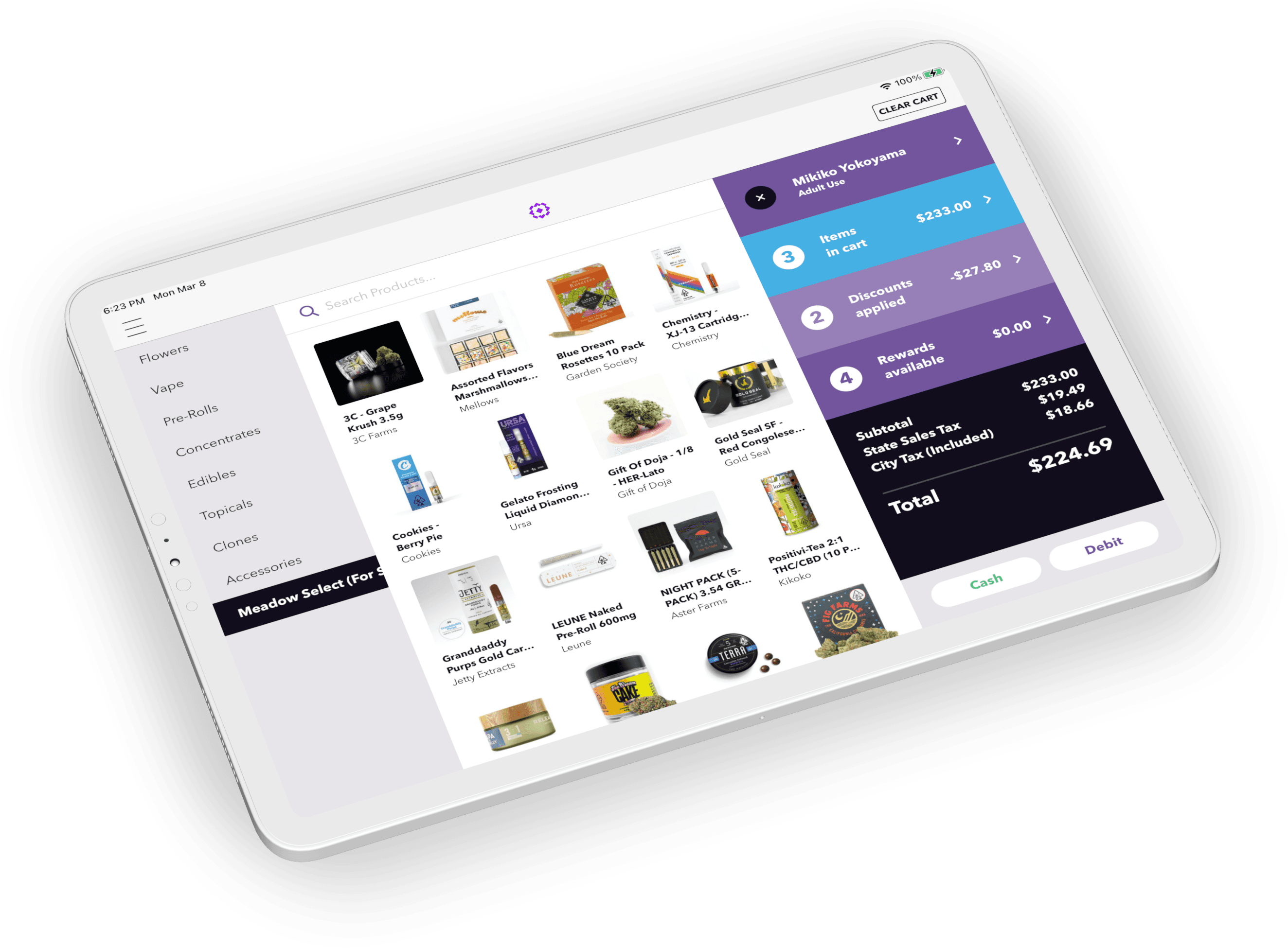
- POS Systems: Power on and log into all POS stations, verifying software updates and proper connectivity.
- iPads for Kiosk Mode: Confirm that the correct menu is displayed, and the devices are fully charged.
- Floating iPads for Budtenders: Log into roaming devices and ensure they are fully charged.
- In-Store TV Menus: Power on TV displays and confirm they are showing the current menu with accurate pricing.
- Walkie-Talkies: Turn on and test radios to confirm internal staff communication channels are clear.
- Internet Connection: Verify stable Wi-Fi or LAN connectivity to prevent system outages.
- Payment Terminals: Turn on and connect all card readers.
Meadow's Point of Sale system supports Kiosk Mode, floating iPads, and in-store TV menus, all designed to enhance the shopping experience.
💡 Learn more about the benefits of omnichannel sales in our blog: Omnichannel Sales: The Value of a Connected Dispensary POS for Growth.
✔️ Inventory Review and Quick Restocking
Nobody wants to wait while a budtender goes to grab something from the back. Keeping the sales floor fully stocked ensures a smooth shopping experience and maximizes sales opportunities. Customers expect quick access to products without delays, so prioritizing front-of-house inventory is essential.
- Restock products that are visibly low on shelves.
- Prioritize restocking your most popular products.
- Ensure promotional items are accessible.
- Confirm displays are neat and organized to enhance the customer shopping experience.
💡 Learn more about dispensary inventory management with Meadow.
✔️ Daily Deals and Product Knowledge
- Review the current product menu: Identify new items, slow movers, and products added since your last shift. Ask questions if anything is unclear.
- Prepare for today's daily specials: Know what deals are running and be ready to promote them.
- Update promotional boards or digital displays with accurate information.
- Verify that all discounts and promotions are correctly set up in the POS.
- Check for new social media posts or email campaigns highlighting specials or promotions beyond daily deals.
- Be aware of any vendor promotions or bundle offers that can be shared with customers.
✔️ Get Ready for Customers!
Pour that cup of coffee and get mentally prepared for a busy, fun, energetic sales day. Customer service is tough work, but with the right tools and mindset, your budtending team can drive sales for your business with something as small as a smile.

Essential Dispensary Opening Tasks for the General Manager
✔️ Conduct a Team Huddle
A quick team huddle sets the tone for the day, ensuring everyone is informed, motivated, and aligned with sales goals. Use this time to share updates, address questions, and build team morale.
- Review today's goals, promotions, and any new SOPs.
- Provide updates on deals, new products, schedule changes, or upcoming events.
- Motivate the team and align them with sales objectives.
- Consider a daily sales competition to motivate your staff. Rewards can vary from cash to product samples.
✔️ Open Registers and Confirm any Cash Handling Procedures
Proper cash management is essential for a smooth opening. Confirm that each register is ready for transactions and that your team is following established procedures.
- Ensure all cash registers are stocked with change and bills.
- Double count starting balances.
- Delegate this task or personally verify each register.
✔️ Review Sales and Adjust Staffing
Analyzing sales trends helps you optimize staffing to meet demand and control labor costs. Use your reporting tools to staff efficiently and maximize profitability.
- Assign break times to each staff member.
- Assign or ensure there is available coverage for staff breaks.
- Adjust staffing based on peak and slow times as needed. Cut staff before their break if they are not needed.
- Utilize slow periods for drawer drops or shift transitions.
Learn more about How Dispensaries Can Turn Data into More Revenue.
💡 Use Meadow's reporting and analytics suite to review previous sales data.
✔️ Manage Inventory Levels
After budtenders complete a light restock, the inventory manager should conduct a deeper review to ensure proper stock levels and address purchasing needs. Use analytics to monitor trends and make data-driven decisions that keep inventory optimized and customers satisfied.
- Review Budtender Restock: Confirm that the front-of-house restock is complete and shelves are properly stocked. Address any gaps immediately.
- Check Top-Selling Products: Use your point of sale system's inventory management software to ensure popular items are in stock.
- Update Inventory Manager Priorities: Set restock priorities for the inventory team based on current trends and sales velocity.
- Communicate with Retail Staff: Share insights on which products to push and highlight items that need more visibility on the sales floor.
✔️ Be Present on the Retail Floor
Your presence on the floor boosts team morale and lets you address issues in real time. Leading by example fosters a positive workplace culture.
- Unlock the door!
- Confirm your radio is on.
- Support your team by being visible and available during opening hours.
- Conduct quick check-ins to gauge staff needs and maintain morale.
- Provide on-the-spot training and delegate tasks effectively.
- Shift your focus to lower-priority tasks once the team is settled.

Essential Dispensary Opening Tasks for the Head of Security
✔️ Security Systems Check
- Verify that all security cameras and alarms are working properly.
- Schedule maintenance immediately if any issues are found.
- Confirm that all customer entry points are secure, and exit or employee entrances are locked.
- Ensure compliance with local security regulations requiring controlled access and video surveillance.
✔️ Overnight Security Review
- Inspect the property for signs of suspicious activity or vandalism from the previous night.
- Review camera footage if anything appears unusual.
✔️ Staff Readiness and Security Procedures
- Review protocols for handling difficult customers and preventing theft.
- Conduct quick training or drills to ensure the team is aligned on security responses.
- Share real-world scenarios from other dispensaries to reinforce preparedness.
✔️ Team Security Briefing
Conduct a security briefing with all employees before opening:
- Reinforce best practices for customer and staff safety.
- Review emergency procedures and protocols.
💡 Read How to Build a Dispensary Security Plan.

Essential Dispensary Opening Tasks for the Delivery Manager
✔️ Delivery Order Preparation
- Pack any orders that came in overnight from your Online Menu.
- Confirm all delivery orders that were packed previously for today are correctly assembled.
- Confirm your Delivery Request Receipts are printed and assigned to each bag.
✔️ Vehicle Readiness
Inspect all delivery vehicles for readiness:
- Ensure vehicles are in good condition and fueled.
- Confirm necessary security measures are in place.
- Verify all required documentation is in the vehicle.
✔️ Route Planning and Dispatch
- Review and plan delivery routes for efficiency.
- Contact customers with an ETA.
💡 Meadow's integration with Onfleet streamlines dispatching, tracking, and SMS communications for customers.
✔️ Prepare Driver Kits for Express Operations
Driver kits are essential for efficient express delivery operations, ensuring drivers are equipped and ready to fulfill orders promptly. Here is how to prepare them:
- Transfer inventory: Move inventory from your Backstock location to the Driver Kit using Meadow's POS system.
- Check equipment: Ensure all hardware required for express operations, such as mobile POS devices and scanners, is functional and charged.
What is your delivery model? Meadow supports both hub-and-spoke and express delivery models in a fully integrated delivery platform, so you can expand territorially while reducing labor costs.
✔️ Create your Delivery Ledger Before Hitting the Road
California cannabis retailers conducting deliveries must create a delivery inventory ledger in CCTT for each delivery trip, before the delivery employee leaves the licensed premises. The ledger records the employee, the vehicle, the package UIDs and unit quantities, and any customer pre-orders processed before departure. All of that information must be entered in CCTT by the end of each calendar day. The requirement sits in Title 4 of the California Code of Regulations, sections 15049.3 and 15418.
- Create your Delivery Ledger before departing for your first trip.
- Keep the retail value of cannabis in the vehicle within the state limit, currently $10,000, raised from $5,000 effective January 1, 2023.
- Depart your Delivery Ledger once you leave the licensed premises.
Learn more in California Cannabis Delivery Ledger Requirements: A Compliance Guide, and see the background on the increase in delivery vehicle limits.
A missed ledger is not a paperwork problem, it is a vehicle that left the premises non-compliant. If your team is building ledgers by hand each morning, that is a step your POS should be doing for you. See how delivery ledgers work in Meadow.

Essential Dispensary Opening Tasks for the Inventory and Compliance Team
✔️ Conduct a Physical Inventory Count
Complete a small cycle count or prepare for the next full count. California cannabis retailers are required to reconcile physical inventory against their POS and Metrc records on a regular cycle, at least every 30 days, under the DCC's inventory reconciliation rules in Title 4, section 15424. Your POS should include tools that make cycle counts and audits fast rather than painful.
- Perform a small cycle count by brand or category. Otherwise prepare for a monthly full count.
- Use your POS tools for efficient blind counting.
- Organize the stockroom for quick daily audits or a full inventory count.
✔️ Complete a Full Restock
Compare live inventory levels on the retail floor with backstock and transfer products as needed to prepare for a busy sales day. Your POS should allow quick and easy transfers between inventory locations.
- Compare live retail inventory with backstock levels using your POS.
- Transfer inventory to the sales floor through your POS system.
- Ensure shelves are fully stocked with top-performing products.
✔️ Review the Product Delivery Schedule
Stay on top of incoming deliveries from distributors to better plan the day and manage time effectively. Knowing the delivery schedule helps inventory managers organize their workload.
- Check how many deliveries are expected and their arrival times.
- Use the schedule to plan time for inventory tasks between deliveries.
- Coordinate with the receiving team to streamline deliveries.
✔️ Review Low Inventory Products
Help the purchasing manager stay ahead of inventory needs by using your POS analytics tools to identify low-stock items. Proactively reordering prevents stockouts and ensures customer demand is met.
- Use your POS analytics or reporting tool to identify products needing reorders.
- Review top performers and their reorder dates.
- Assist the purchasing manager in placing orders.
✔️ Print Product Labels or Continue Labeling Delivered Products
Proper product labeling ensures accurate inventory tracking and faster sales transactions. Printing and applying labels early prevents discrepancies and keeps inventory organized.
- Print product labels for the day's sales.
- Label newly delivered products from the previous day.
💡 Learn more about common causes of inventory inaccuracies: 5 Reasons Your Dispensary Inventory is Inaccurate.
Why a Dispensary Opening SOP Sets Up the Whole Day
A written opening checklist does what a verbal routine cannot: it assigns every task to a role, so nothing depends on who happens to arrive first. It catches equipment failures, stock gaps, and security issues before a customer is standing in front of them. And it gives new staff something to follow on day one instead of shadowing whoever is free.
With a solid set of SOPs in place, dispensary teams boost productivity, reduce mistakes, and deliver a consistent, professional experience. That consistency is what separates a store that runs well from one that runs on memory.
Power Your Dispensary with Meadow
Running a successful dispensary starts with the right tools and processes. Meadow's all-in-one cannabis POS system gives your team what it needs to open efficiently, stay compliant, and drive sales: inventory management, real-time reporting, integrated delivery operations, and customer engagement tools in a single platform.
That means fewer systems to check during the opening routine, and one source of truth when something does not add up.
Dispensary Opening Procedure FAQs
What time can a cannabis dispensary open in California?
California permits retail cannabis sales between 6:00 a.m. and 10:00 p.m. Cities and counties can set narrower hours than the state, so confirm your local ordinance before setting an opening time.
Who is responsible for opening a dispensary?
Opening is split across five roles. Budtenders and receptionists handle floor setup, hardware testing, restocking, and deal preparation. The general manager runs the team huddle, opens registers, reviews staffing, and unlocks the doors. The head of security checks systems, reviews the overnight, and briefs the team. The delivery manager preps orders, vehicles, routes, and the delivery ledger. The inventory and compliance team counts, restocks, reviews reorders, and labels.
What is a cannabis delivery ledger and when does it have to be created?
A delivery inventory ledger is a CCTT record covering a single delivery trip, listing the delivery employee, the vehicle, the package UIDs and unit quantities, and any pre-orders processed before departure. California retailers must create it before the delivery employee leaves the licensed premises, and all of the recorded information must be entered in CCTT by the end of that calendar day.
How often do California dispensaries have to count inventory?
At least every 30 days. Retailers must reconcile physical inventory against their point of sale and Metrc records on that cycle. Many operators run smaller cycle counts by brand or category throughout the month so the monthly reconciliation is a confirmation rather than a full-store shutdown.
What should a dispensary opening checklist include?
At minimum: retail floor setup and merchandising, a hardware and connectivity test across POS stations and menu displays, a front-of-house restock, a deals and menu review, a team huddle, register opening with counted starting balances, a security systems check and overnight review, delivery order and vehicle prep including the delivery ledger, and a physical inventory count. Assign each task to a specific role.
Ready to Simplify Your Opening Routine?
A checklist tells your team what to do. Your POS decides how much of it has to be done by hand. Delivery ledgers, cycle counts, inventory transfers, and menu accuracy are all places where the right system removes a morning step instead of adding one.
More Resources for Dispensaries
- Cannabis Dispensary SOPs: Closing Procedures Checklist
- Cannabis Dispensary SOPs: Receiving Inventory
- What to Expect during a DCC Inspection: Insights from Off the Charts San Francisco
- Cycle Counts for Smarter Dispensary Inventory Management
- Driving Growth with Meadow's Dispensary Software: Elevate's Success Story