
Last updated: June 2026 | By the Meadow team
TL;DR: Metrc requires dispensaries to report every sale, package adjustment, transfer, and inventory reconciliation to the state. A well-integrated POS handles most of this automatically. This guide explains what Metrc actually tracks, what your POS should be doing for you, and what you still need to manage manually.
Metrc is the paper trail behind every cannabis transaction. Regulators use it to confirm that every gram that came in left through a legal channel. If your Metrc account falls out of sync with your actual shelves, you're exposed — to compliance violations, license risk, and the kind of inspection you don't want.
Most dispensary operators know they need to use Metrc. Fewer understand exactly what they're required to report, when, and how a POS integration changes the equation. That's what this guide is for.
What Metrc actually tracks
Metrc (Marijuana Enforcement Tracking Reporting Compliance) is a state-mandated seed-to-sale tracking system. As a dispensary, your piece of the chain starts when cannabis enters your facility and ends when it's sold to a customer, transferred out, adjusted, or destroyed.
Specifically, Metrc tracks:
- Packages — every cannabis product in your facility, identified by a unique Metrc tag (UID)
- Sales receipts — every retail transaction, linked to the package it came from
- Transfers — inbound (receiving from a distributor or cultivator) and outbound (returns, transfers, destruction)
- Adjustments — any change to a package quantity, with a reason code
Every one of these events creates a record in Metrc. Regulators can pull this data at any time. Discrepancies between what Metrc shows and what's physically on your shelves is what can get you flagged during an audit or inspection.
What you're required to report — and when
Reporting requirements vary by state. California, New York, Michigan, Massachusetts, New Jersey, and Minnesota (and others) all operate on Metrc, but each state configures deadlines and requirements differently.
That said, the core obligations are consistent across Metrc states:
| Report type | What it covers | Typical timing |
|---|---|---|
| Sales | Every retail transaction, quantity sold, package UID | Real time or end-of-day (state-dependent) |
| Package adjustments | Any change to package quantity (cycle count, spoilage, etc.) | At time of adjustment |
| Incoming transfers | Receiving inventory from a distributor | When product physically arrives at your facility |
| Reconciliations | Resolving discrepancies between physical count and Metrc | As needed; document immediately |
| Waste/destruction | Expired or damaged product removal | At time of event |
New York note: As of May 5, 2026, manual retail inventory and sales reporting in New York ended. All NY retailers must report through a direct Metrc integration — a POS that syncs automatically is now a compliance requirement, not just a convenience.
How a POS integration changes the equation
Without an integrated POS, every sale requires a separate manual entry in Metrc. Every adjustment. Every receipt. That's how compliance teams burn hours and how errors happen.
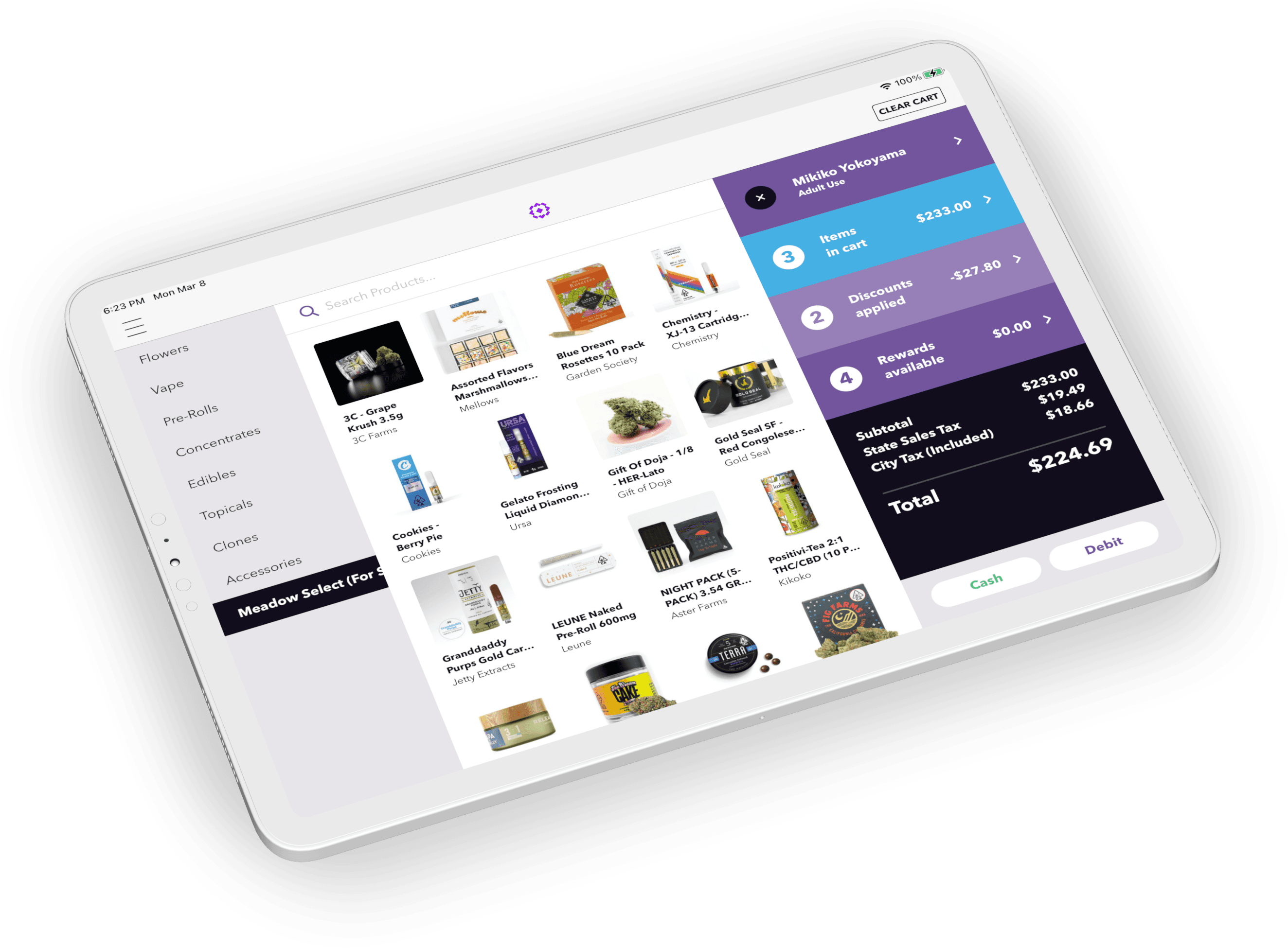
With a fully integrated POS like Meadow, the reporting picture looks like this:
What syncs automatically:
- Sales — every transaction reports to Metrc
- Package quantity updates — units decrease in Metrc as they sell
- Reconciliation adjustments — submitted to Metrc with adjustment reason codes
- Delivery ledgers — auto-generated and submitted at dispatch (CA-specific; one ledger per trip)
- Administrative holds — Metrc-flagged packages are surfaced automatically
What still requires manual action:
- Receiving incoming transfers — you need to physically verify the manifest, confirm quantities match, and mark the transfer as received in Metrc. Don't mark it received before you verify and count it.
- Outgoing transfers (returns) — must be initiated in Metrc, not the POS
- Trade samples — require manual Metrc entry
The rule of thumb: anything that moves product into your facility requires your eyes on it first. Everything after that should be automated.
The four core Metrc reporting tasks for retail dispensaries
1. Sales reporting
Every time a customer buys cannabis, your POS should push a sales receipt to Metrc that includes the package UID, quantity sold, and sale timestamp.
If your POS loses connectivity mid-shift, this is where you get exposure. A well-built system queues the reports and syncs them once connectivity is restored. Verify your POS has this fallback behavior before you need it.
2. Package management
Your Metrc account should reflect exactly what's physically in your facility. That means:
- Every incoming package tagged, received, and assigned to a location
- Package splits, combines, and item changes recorded immediately
- Finished packages (zeroed out) auto-finished overnight
Metrc Retail ID is increasingly handling the tagging step upstream, before product even reaches your facility, see our guide to Metrc Retail ID for how it works and where it's required.
One common mistake: receiving a package in Metrc before physically confirming the manifest. If the physical shipment doesn't match the manifest, you need to either reject the transfer or resolve the discrepancy before accepting. Once you mark it received in Metrc, unwinding the error is much harder and the error becomes your responsibility.
3. Inventory reconciliations
A reconciliation is how you tell Metrc "the number in the system doesn't match what's on the shelf." You're not hiding an error — you're correcting the record, which is exactly what regulators expect you to do.
In Meadow, reconciliations run from Inventory > Reconciliations (or the package details screen): enter the correct quantity, select your state's adjustment reason code, add a note explaining the discrepancy, and submit — the adjustment reports to Metrc automatically. Reconciliations can't be undone, so confirm your physical count before submitting.
For the full step-by-step, adjustment reason codes by state, and how to prevent discrepancies in the first place, see our complete guide to Metrc reconciliation.
High variance = regulator attention. Metrc flags accounts with frequent or large adjustments. If you're running reconciliations weekly, something upstream is wrong.
4. Transfers — inbound and outbound
Inbound transfers are the one area where automation can't fully replace you. When a distributor delivers:
- Pull up the transfer manifest in Metrc before unloading
- Count every package against the manifest
- If quantities or items don't match, reject the discrepancy before accepting
- Mark as received in Metrc only after physical verification
Outbound transfers (returns, destruction, or inter-location moves) are initiated in Metrc directly, then your POS should reflect the inventory change automatically after the transfer is processed.
State-specific notes
California
- Delivery ledgers must be generated before dispatch — one per trip, one per driver, auto-submitted in Meadow
- Package UIDs are tied to California's DCC license
New York
- As of May 5, 2026, manual reporting is no longer accepted — you must use an integrated system
- All products require Retail Item IDs (RIIDs). Non-RIID-labeled product couldn't be distributed after February 28, 2026
How to verify your Metrc account is in sync
For a faster gut check, see our breakdown of 3 Metrc red flags that signal your account may already be out of sync.
- Run a package-level spot check monthly. Pick 10 random packages in Metrc and compare quantities to your POS inventory.
- Check your reconciliation log. Frequent adjustments for the same reason code usually mean a receiving or weighing process problem.
- Before any inspection, pull your Metrc transfers report. Make sure every incoming transfer in the last 90 days shows as received.
FAQ
What is Metrc reporting?
Metrc reporting is the process of submitting required cannabis compliance data — sales, inventory adjustments, transfers, and reconciliations — to your state's Metrc system.
Do I have to manually enter every sale in Metrc?
No, if your POS integrates directly with Metrc. A fully integrated POS like Meadow pushes each sale to Metrc automatically.
How often does Metrc sync with my POS?
In an integrated system, sales can sync in real time or batched. Package adjustments and reconciliations sync when submitted. Incoming transfers require physical verification before acceptance.
What is a Metrc reconciliation?
A reconciliation is an inventory adjustment that corrects the quantity of a package in Metrc to match your physical count. It requires a reason code and a note, and it cannot be undone. For the full process and state-specific reason codes, see our complete guide to Metrc reconciliation.
Why is my Metrc inventory different from my POS inventory?
Common causes: a sale that didn't sync, a package received in Metrc but not in the POS, an adjustment made in Metrc directly, or a package split/combine that only happened in one system.
What happens if I miss a Metrc report?
Late or missing reports can trigger a compliance violation. Identify the gap, submit the missing reports with accurate data and notes explaining the delay, and contact your state's Metrc support team proactively.
Does Meadow work with Metrc in all states?
Meadow integrates with Metrc in CA, MI, MA, NY, NJ, and MN. Meadow is Metrc-only — it doesn't integrate with BioTrack or Leaf Data.
The bottom line
Metrc reporting isn't optional, and the margin for error is thin. But most of the complexity goes away with a POS that syncs automatically. What remains — receiving transfers, catching discrepancies before they compound, and staying current on state-specific rules — is manageable if you have the right systems and processes in place.
See how Meadow's Metrc integration works in practice →
Meadow serves licensed cannabis retailers in CA, MI, MA, NY, NJ, and MN. This guide is for informational purposes only and does not constitute legal advice.